 By Admin
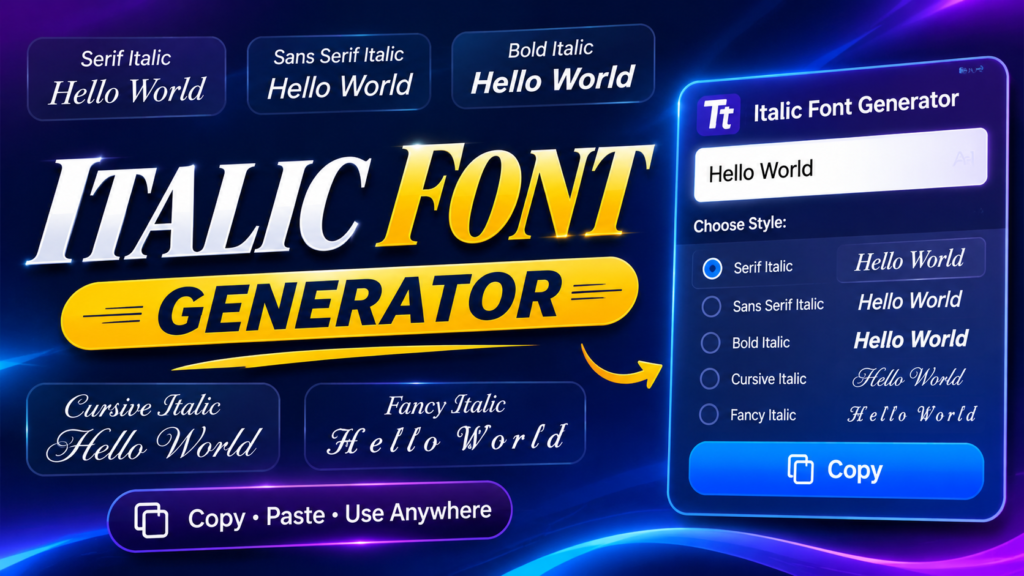
An italic font generator converts ordinary text into stylish italic letters that you can copy and paste anywhere. Whether you want an elegant Instagram bio, an attractive social media caption, or a unique username, an italic text generator makes the process quick and simple.
Instead of manually formatting your text, you can type or paste your words, choose an italic style, and copy the result instantly. These generated characters can be used on platforms that do not provide a built-in italic formatting option.
What Is an Italic Font Generator?
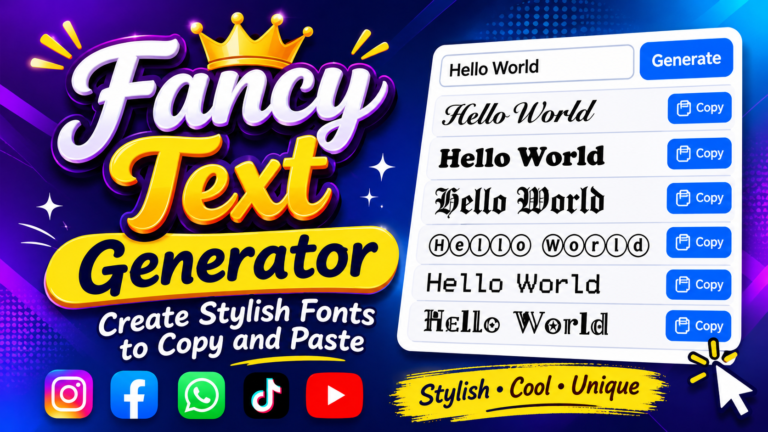
An italic font generator is an online tool that transforms regular letters into italic-style Unicode characters. It creates text that looks slanted, giving your words a different appearance without requiring you to install a font.
For example:
- Normal Text: Hello World
- Italic Text: 𝐻𝑒𝑙𝑙𝑜 𝑊𝑜𝑟𝑙𝑑
- Sans Serif Italic: 𝘏𝘦𝘭𝘭𝘰 𝘞𝘰𝘳𝘭𝘥
- Bold Italic: 𝑯𝒆𝒍𝒍𝒐 𝑾𝒐𝒓𝒍𝒅
These styles are particularly useful when you want to make short text stand out in social media profiles, messages, captions, and usernames.
How to Use an Italic Text Generator
Converting regular text into italic letters takes only a few steps.
- Enter Your Text: Type or paste your words into the generator’s input box.
- Choose an Italic Style: Browse the available serif, sans serif, bold italic, or decorative options.
- Preview the Result: Check how your converted text looks before using it.
- Copy Your Text: Click the Copy button next to your preferred style.
- Paste Anywhere: Use the copied text in your social media bio, caption, message, or username.
The conversion process is quick and does not require special software or font installation.
Different Types of Italic Fonts
An italic font generator may offer several styles depending on its available Unicode characters.
1. Serif Italic
Serif italic has a traditional and elegant appearance. It is suitable for quotations, short descriptions, headings, and creative text.
Example: 𝐸𝑙𝑒𝑔𝑎𝑛𝑡 𝑇𝑒𝑥𝑡
2. Sans Serif Italic
Sans serif italic has a clean, modern appearance without decorative strokes. It works well for social media bios, profile descriptions, and short captions.
Example: 𝘔𝘰𝘥𝘦𝘳𝘯 𝘛𝘦𝘹𝘵
3. Bold Italic
Bold italic combines a slanted appearance with heavier characters. Use it when you want a particular word or short phrase to attract attention.
Example: 𝑩𝒐𝒍𝒅 𝑻𝒆𝒙𝒕
4. Bold Sans Serif Italic
This style combines modern sans serif characters with bold italic formatting. It is useful for display names, short announcements, and eye-catching captions.
Example: 𝙎𝙩𝙮𝙡𝙞𝙨𝙝 𝙏𝙚𝙭𝙩
5. Cursive and Script Styles
Cursive and script styles create a handwritten appearance with decorative letter shapes. Although they are not technically the same as standard italic typography, many generators include them as additional styling options.
Example: 𝒞𝓊𝓇𝓈𝒾𝓋𝑒 𝒯𝑒𝓍𝓉
Where Can You Use Italic Copy and Paste Text?
Unicode italic characters can be useful on many websites and applications that accept Unicode text.
- Instagram: Add stylish words to your bio, captions, and profile descriptions.
- Facebook: Highlight short phrases in posts, comments, and profile information.
- TikTok: Create distinctive profile descriptions and caption text.
- WhatsApp: Add decorative text to your status and messages.
- Discord: Customize usernames and short profile descriptions.
- Gaming Profiles: Give supported usernames and display names a different appearance.
However, the exact appearance depends on the platform’s character support and font rendering.
Italic Fonts vs Unicode Italic Text: What Is the Difference?
Although people commonly search for italic fonts, most online italic generators do not create actual font files.
They use Unicode characters that already have an italic appearance.
Traditional italic formatting changes how normal letters are displayed through a font or text-formatting system. For example, HTML and CSS can display regular text in italics without changing the underlying letters.
Unicode italic generators work differently. They replace supported characters with separate Unicode symbols that resemble italic letters. This allows the styling to remain when you copy and paste the text into another application.
You can learn more about these character systems in the official Unicode Mathematical Alphanumeric Symbols documentation.
Italic vs Cursive: What Is the Difference?
Italic and cursive are often confused, but they have different appearances.
Italic letters generally maintain the structure of standard printed letters while adding a slanted appearance. Cursive uses more decorative, handwritten-looking letterforms, sometimes with connected strokes.
Choose italic when you want a clean and readable appearance. Choose cursive when you prefer a more artistic or handwritten style.
Why Do Some Italic Characters Not Work?
Unicode italic text does not always display perfectly across every platform or device.
Here are some common reasons:
- Unsupported Characters: Some letters, accented characters, and symbols do not have matching italic versions.
- Number Limitations: Standard Unicode mathematical italic alphabets do not provide a complete matching set of italic digits, so numbers may remain unchanged.
- Font Compatibility: Older devices or applications may display unsupported characters as empty boxes or unusual symbols.
- Language Support: Some scripts, including certain non-Latin writing systems, may not have equivalent italic characters in these Unicode alphabets.
If your copied text looks incorrect, try another style or use regular text instead.
Are Italic Unicode Fonts Good for Accessibility and SEO?
Unicode italic characters are useful for decoration, but they should not replace normal text everywhere.
Screen readers may interpret styled Unicode letters differently from ordinary words. Search engines and platform search functions may also treat these characters differently from their standard alphabet equivalents.
For better readability and accessibility, keep important information, keywords, names, and longer paragraphs in regular text.
If a platform already offers native italic formatting, use that feature whenever possible. Unicode italic text is most useful for short decorative phrases, bios, and captions.
Frequently Asked Questions
Is an italic font generator free?
Most online italic text generators are free to use. You can generally enter your text, select a style, and copy the converted result without purchasing or installing a font.
How can I copy and paste italic text?
Enter your words into an italic text generator, select your preferred style, click Copy, and paste the result into your desired application.
Can I use italic text on Instagram?
Yes. You can paste supported Unicode italic characters into Instagram bios, captions, and other text fields that accept them.
Are italic fonts the same as cursive fonts?
No. Italic letters have a slanted appearance, while cursive letters generally look more handwritten and decorative.
Can I use italic text on WhatsApp?
Yes. You can paste Unicode italic characters into WhatsApp messages and status updates. WhatsApp also supports its own native italic formatting through underscores around text, such as Hello World.
Do italic generators change actual font files?
No. Most online italic generators convert supported letters into Unicode characters. They do not create downloadable font files or install new fonts on your device.
Summary
An italic font generator is a convenient way to transform ordinary text into stylish italic characters that can be copied and pasted across supported websites and applications. With options such as serif italic, sans serif italic, bold italic, and cursive styles, users can customize short messages, bios, captions, and usernames.
However, these generators usually work with Unicode characters rather than actual font files. For the best results, choose a readable style, check character compatibility, and use native text formatting whenever it is available.