 By Admin
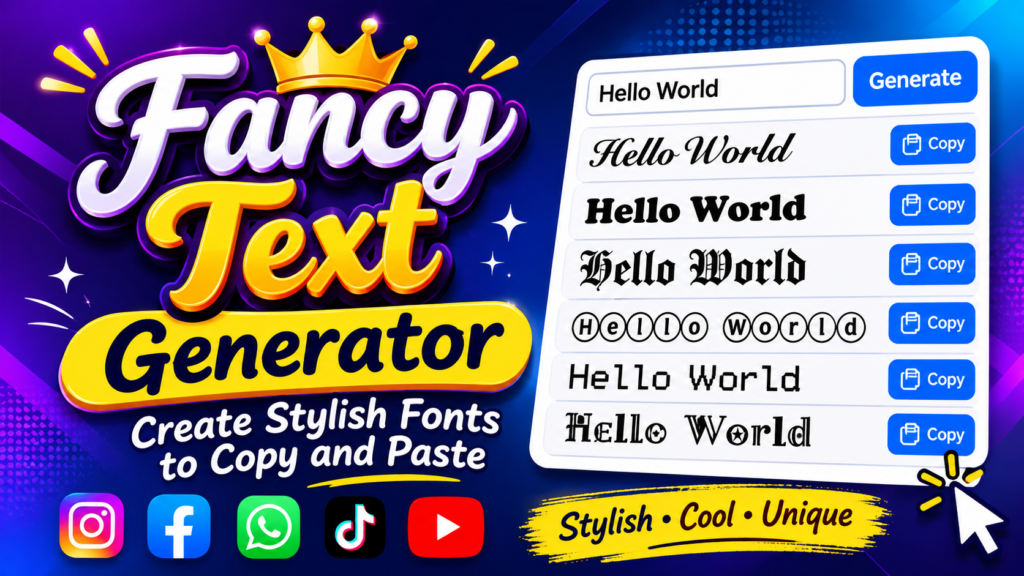
Sometimes normal text does not express your style. Whether you are creating an Instagram bio, updating your gaming username, writing a Facebook post, or sending a creative WhatsApp message, stylish letters can make your words look different. This is where a Fancy Text Generator becomes useful.
A fancy text generator is a simple online tool that changes ordinary letters into attractive text styles. You can create cursive letters, bold text, gothic characters, bubble letters, small caps, and many other designs. Once you find a style you like, you can copy it and paste it into your favorite social media platform.
The best part is that you do not need to install special fonts or learn graphic design. You can create stylish text directly from your browser using a computer, tablet, or mobile phone.
What Is a Fancy Text Generator?
A Fancy Text Generator is an online text conversion tool that transforms regular words into decorative characters. It uses special Unicode characters and symbols to create different visual styles.
For example, you can enter the word “Hello” and get several variations:
- Normal: Hello
- Bold: 𝐇𝐞𝐥𝐥𝐨
- Cursive: 𝓗𝓮𝓵𝓵𝓸
- Double Struck: ℍ𝕖𝕝𝕝𝕠
- Monospace: 𝙷𝚎𝚕𝚕𝚘
- Small Caps: ʜᴇʟʟᴏ
- Circled: Ⓗⓔⓛⓛⓞ
Each version has a different appearance, but the original meaning remains the same.
These styles are useful when you want your text to stand out without creating an image. You can use them in profiles, captions, comments, usernames, and personal messages.
How Does a Fancy Text Generator Work?
Many people think a fancy text generator installs a new font on their device. However, most online fancy text generators work differently.
They use characters from the Unicode standard. Unicode is a system that assigns codes to characters from different writing systems, symbols, and special text collections.
A text generator uses selected Unicode characters that look similar to regular English letters. It matches your original text with these special characters to produce a different appearance.
For example, a regular letter A can have several visual alternatives, including:
- 𝐀
- 𝑨
- 𝒜
- 𝔄
- 𝔸
- Ⓐ
The generator combines these characters to create a complete stylish word or sentence.
This is why you can copy fancy text from one website and paste it into another without installing a font file.
However, not every platform supports every Unicode character. Some older devices or applications may display empty boxes or different symbols instead of the intended letters.
Popular Fancy Text Styles You Can Create
A good fancy text generator offers different styles for different purposes. Some styles look professional, while others are playful, decorative, or unusual.
Here are some popular options.
1. Cursive Fancy Text
Cursive text gives your words a handwritten appearance. It is a popular choice for personal profiles, social media bios, and creative captions.
Example:
Normal: Beautiful Day
Cursive: 𝓑𝓮𝓪𝓾𝓽𝓲𝓯𝓾𝓵 𝓓𝓪𝔂
You can use this style when you want your text to look elegant and personal.
2. Bold Fancy Text
Bold characters make words look stronger and more noticeable. They are useful for short announcements, headings, usernames, and social media captions.
Example:
Normal: Welcome
Bold: 𝗪𝗲𝗹𝗰𝗼𝗺𝗲
3. Gothic Text
Gothic text uses decorative characters with an old-fashioned or dark appearance. It is often used for gaming profiles, creative usernames, and themed social media accounts.
Example:
Normal: Dark World
Gothic: 𝕯𝖆𝖗𝖐 𝖂𝖔𝖗𝖑𝖉
4. Bubble Letters
Bubble text places letters inside circular shapes. It creates a friendly and playful appearance.
Example:
Normal: Happy
Bubble: Ⓗⓐⓟⓟⓨ
This style works well for fun messages, profile descriptions, and creative captions.
5. Small Caps Text
Small caps characters look similar to uppercase letters but have a smaller appearance. They are useful for short profile descriptions and decorative headings.
Example:
Normal: Stylish Text
Small Caps: ꜱᴛʏʟɪꜱʜ ᴛᴇxᴛ
6. Double Struck Text
Double struck letters have an outlined appearance. They can make short words look different from ordinary text.
Example:
Normal: Creative
Double Struck: ℂ𝕣𝕖𝕒𝕥𝕚𝕧𝕖
7. Upside Down Text
Upside down text turns ordinary letters into characters that resemble an inverted version of the original message.
Example:
Normal: Hello World
Upside Down: ɥǝןןo ʍoɹןp
This style is mostly used for jokes, fun messages, and creative social media posts.
8. Zalgo Text
Zalgo text uses additional combining marks above, below, and around ordinary characters. It creates a distorted or glitchy appearance.
Example:
Normal: Hello
Zalgo: H̷e̷l̷l̷o̷
It is popular among users who want unusual or creepy-looking messages.
How to Use a Fancy Text Generator
Using a fancy text generator is easy. You do not need technical knowledge or any special software.
Follow these simple steps:
Step 1: Enter Your Text
Open a fancy text generator in your browser. Find the input box and type or paste the words you want to convert.
You can enter a name, username, sentence, caption, or short message.
Step 2: Explore Different Styles
After entering your text, the tool generates multiple decorative versions. Browse through the available designs and compare their appearance.
Try different styles until you find one that matches your purpose.
Step 3: Copy Your Favorite Style
Select the text style you like and use its copy option. Many generators allow you to copy a complete result with one click or tap.
Step 4: Paste Your Fancy Text
Open your preferred application and paste the copied text into the required field.
You can use it in a social media bio, message, username, caption, comment, or other text field that supports the characters.
Always check the pasted result before publishing it.
Where Can You Use Fancy Text?
Fancy text is useful in many online situations. It allows people to add personality to ordinary words without creating a separate graphic.
Fancy Fonts for Instagram
Instagram users often want their profiles to look different. You can use decorative letters in your bio, profile name, captions, and comments.
For example, a simple bio heading can become:
𝓐𝓫𝓸𝓾𝓽 𝓜𝓮
You can also use bold or small caps text to separate different parts of your profile description.
Fancy Text for WhatsApp
You can use special characters in WhatsApp messages, group descriptions, and supported profile fields.
For example:
𝓖𝓸𝓸𝓭 𝓜𝓸𝓻𝓷𝓲𝓷𝓰!
It is a simple way to make personal messages look more interesting.
Fancy Fonts for Facebook
Facebook users can use decorative text in posts, comments, and profile descriptions. Bold or cursive characters can help highlight short phrases.
However, avoid changing every word into a decorative style because it can make longer posts harder to read.
Fancy Text for TikTok
TikTok creators can use stylish text in their bios and profile descriptions. It can help create a consistent appearance for a personal or creator account.
Choose a readable style so visitors can easily understand your profile information.
Fancy Gaming Usernames
Many gamers enjoy using unusual characters in their usernames. Gothic, bold, small caps, and decorative styles can help create a different gaming identity.
For example:
Normal: ShadowKing
Fancy: 𝕾𝖍𝖆𝖉𝖔𝖜𝕶𝖎𝖓𝖌
Remember that some games restrict special characters. Check the game’s username rules before using a fancy name.
Fancy Text Generator vs Traditional Font Generator
A fancy text generator and a traditional font generator may look similar, but they serve different purposes.
A fancy text generator usually converts regular letters into special Unicode characters. A traditional font generator works with actual font files or font families that change how text appears in a design.
Here are the main differences:
| Feature | Fancy Text Generator | Traditional Font Generator |
|---|---|---|
| Main purpose | Converts text into special characters | Changes the visual typeface |
| Installation | Usually not required | May require font installation |
| Copy and paste | Usually supported | Depends on the application |
| Social media use | Can work in supported text fields | Often requires design software |
| File format | Unicode text | Commonly TTF or OTF |
| Design control | Limited | More extensive |
If you want decorative text for a social media bio, a fancy text generator is a convenient option. If you are designing a logo, poster, or website, a traditional font generator may be more suitable.
Benefits of Using a Fancy Text Generator
A fancy text generator offers several practical benefits for everyday internet users.
Easy to use: You only need to enter your text and select a design. There is no complicated setup.
Multiple styles: You can explore different appearances without searching for individual font files.
Quick copying: Most generators offer a simple way to copy the result.
Mobile friendly: You can create stylish text from a smartphone browser.
No design skills needed: You do not need graphic design experience to create decorative words.
Useful for social media: You can personalize supported profile fields, captions, comments, and messages.
Saves time: Instead of manually searching for special characters, you can generate different styles in seconds.
Limitations You Should Know Before Using Fancy Text
Although fancy text is convenient, it does not work perfectly everywhere.
The most important limitation is character compatibility. Different platforms, devices, and operating systems may support different Unicode characters.
Here are some things to consider:
- Some fancy characters may appear as empty squares on older devices.
- Certain platforms may reject special characters in usernames.
- Screen readers may pronounce decorative characters differently from ordinary letters.
- Fancy text may not be searchable in the same way as normal words.
- Some styles do not include every letter or number.
- Long decorative messages can be difficult to read.
For the best experience, use fancy text for short phrases, names, and profile headings. Keep important information in normal letters so everyone can understand it.
Tips for Choosing the Right Fancy Text Style
Choosing the right style depends on where you plan to use it.
For a professional profile, simple bold or small caps text may be a better choice than heavily decorated letters.
For a personal Instagram bio, cursive or decorative styles can create a more creative appearance.
For gaming usernames, gothic and unusual character styles may be suitable if the game supports them.
For longer messages, prioritize readability instead of choosing the most complicated design.
You should also test your copied text on the platform where you plan to publish it. A style that looks attractive in the generator may appear differently on another device.
Frequently Asked Questions
What is a fancy text generator?
A fancy text generator is an online tool that converts ordinary text into decorative Unicode characters. It allows users to create stylish letters, bold text, cursive words, gothic designs, and other text variations that can be copied and pasted.
Is a fancy text generator free?
Many online fancy text generators are available for free. You can enter your text, explore different styles, and copy the results without purchasing font software. Some websites may also offer additional features or applications.
Can I copy and paste fancy text on Instagram?
Yes, you can paste many Unicode text styles into supported Instagram profile fields, captions, and other text areas. However, some characters may not display correctly on every device.
Does fancy text work on WhatsApp?
Many Unicode fancy text styles work in WhatsApp messages and supported profile fields. The final appearance depends on character support and device compatibility.
Do I need to download a font to use fancy text?
No. Most fancy text generators create special Unicode characters rather than downloadable font files. You can copy the generated characters and paste them into supported applications.
Why does my fancy text appear as boxes?
This usually happens when a device, browser, or application does not have support for the selected Unicode character. Try another text style or use normal letters.
Can I use fancy text for gaming usernames?
Yes, if the game allows the selected special characters. Some games restrict Unicode symbols, so test the username before using it.
Is fancy text the same as a real font?
No. Most fancy text generators replace regular letters with special Unicode characters. A real font changes the appearance of text through a font family or font file.
Which fancy text style is best for Instagram bios?
Cursive, bold, small caps, and simple decorative styles are popular choices. The best option is one that matches your profile and remains easy to read.
Final Thoughts
A Fancy Text Generator is a simple way to give ordinary words a different appearance. Whether you want cursive letters for an Instagram bio, bold characters for a Facebook post, or a creative gaming username, these tools offer many styles to explore.
You do not need to install special software or have design experience. Just enter your words, choose a style, copy the result, and paste it wherever the characters are supported.
The key is to choose a design that looks attractive without making your message difficult to read. Use decorative characters where they add value and keep important information simple.
With the right fancy text style, even a short message can have its own personality.